Our Simple Blogging Setup for Beginners (The Exact Tools We Use in 2026)

This post contains affiliate links, which means we may earn a commission if you purchase through our links—at no extra cost to you. We only recommend blogging tools and resources that we personally use and genuinely trust. For more details, please read our full disclosure.
When Linda and I started blogging in 2022, we thought the hardest part would be writing blog posts.
We were wrong.
There were domains to buy, hosting to choose, legal pages to set up, email marketing to learn, and about a hundred other decisions we hadn’t even considered.
Some investments turned out to be excellent.
Others… not so much.
Over the past few years, we’ve gradually built a blogging setup that we’re genuinely happy with.
In this guide, we’re sharing the exact tools we use today, why we chose them, and which purchases we’d skip if we were starting over.
If you’re looking for a simple blogging setup for beginners, this is the one we’d recommend.
Our Blogging Setup in 2026
This is the blogging setup Linda and I use today after several years of blogging, testing different tools, and upgrading along the way.
We definitely didn’t buy everything at once.
Some of these tools have been with us since we launched our first website in 2022, while others were added later as our blog grew.
Here’s the complete setup we use today:
- Hosting: BigScoots
- Theme: 17th Avenue Designs
- Branding: Haute Stock
- Speed Optimization: WP Rocket
- Performance Cleanup: Perfmatters
- Image Optimization: ShortPixel
- Email Marketing: Kit
- Social Sharing: Novashare
- Legal Pages: A Self Guru
- Traffic Strategy: Perfecting Pinterest
- Monetization Strategy: Making Sense of Affiliate Marketing
Below, I’ll explain why we chose each tool, what we’ve learned from using it, and whether I think it’s worth the investment for new bloggers.
And at the end of this guide, I’ll also share exactly what we spent during our first year of blogging.
1. Hosting (The Foundation of Our Blog)
If there’s one blogging investment Linda and I would make again without hesitation, it’s our hosting.
When we first started blogging, we chose budget hosting because it seemed like the sensible way to save money.
Instead, we spent months dealing with technical issues, slow performance, and trying to fix problems we didn’t understand.
Eventually, we realized we were spending more time troubleshooting our website than actually growing it.
That’s when we switched to BigScoots.
We’ve now been with them for more than three years, and honestly, it’s one of the best blogging decisions we’ve made.
The biggest difference wasn’t just the faster website.
It was the peace of mind.
If something goes wrong or I have a question, I simply open a support ticket and the BigScoots team helps me sort it out.
That means Linda and I can spend our time creating content instead of trying to become WordPress experts.
RELATED POST: BigScoots Review (2026): Why We Left Budget WordPress Hosting
Our Recommendation
If you’re serious about building your blog for the long term, I’d recommend investing in managed WordPress hosting from the beginning.
It’s the setup we use today, and I honestly wish we’d made the switch much sooner.
premium hosting

BigScoots
The hosting company we’ve trusted for more than three years. It gives us peace of mind and lets us spend more time creating instead of troubleshooting.
2. Theme (Creating a Blog You’ll Love)
One of the first investments Linda and I made was a premium WordPress theme.
A good theme does much more than make your website look beautiful. It affects how professional your site feels, how easy it is to navigate, and how simple it is to customize as your blog grows.
We chose a premium theme from 17th Avenue Designs in 2022, and we’re still happily using it today.
Since then, their themes have moved from the Genesis Framework to Kadence, making them even easier for beginners to customize without any coding experience.
Whether you’re looking for an affordable Starter Theme or one of their Premium WordPress themes, we think 17th Avenue offers a great balance of beautiful design, ease of use, and long-term value.
RELATED POST: 17th Avenue Premium WordPress Themes: Which One Is Right For You?
Our Recommendation
If you’re just getting started, I’d recommend taking a look at the Kadence Starter Themes.
They offer a beautiful, beginner-friendly design at a more affordable price and are a great way to launch your blog quickly.
budget friendly
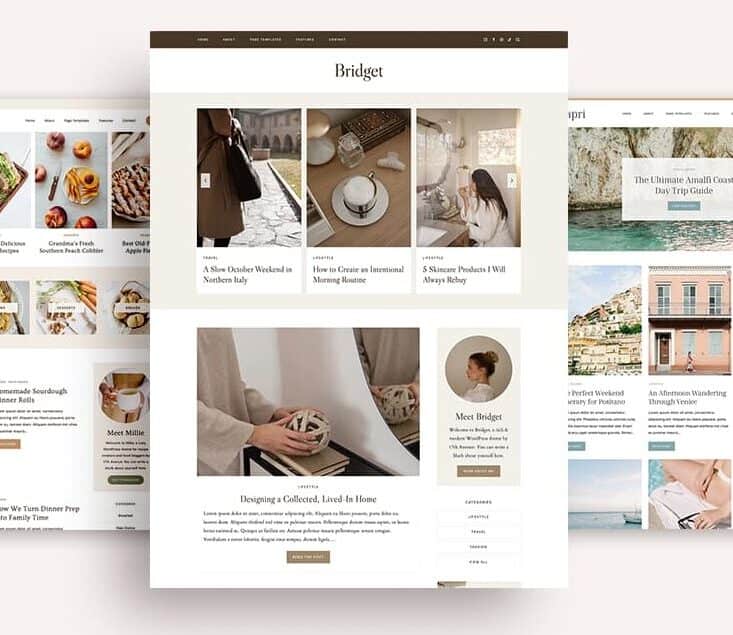
17th Avenue Kadence Starter Themes
Beautiful, beginner-friendly WordPress themes designed to help you launch your blog with confidence.
If you already know blogging is a long-term investment, I’d also explore 17th Avenue’s Premium Themes.
That’s the route Linda and I took, and after using ours for several years, we still think it was money well spent.
premium themes

17th Avenue Premium WordPress Themes
Professionally designed themes for bloggers and online business owners who want a polished, long-lasting website.
3. Branding (Creating a Consistent Brand)
As our blogs grew, we realized that branding isn’t just about choosing the right fonts or colors.
The images you use tell a story too.
For a long time, we created Pinterest pins and graphics using whatever templates and stock photos we liked at the time.
Individually they looked fine.
Together, they didn’t feel like they belonged to the same brand.
That’s one of the reasons we joined Haute Stock.
The membership has helped us create more cohesive Pinterest pins, blog graphics, and lead magnets while giving us a consistent library of stock photos and Canva templates to work from.
We’re still exploring everything the membership offers, but even after a few months it’s already changed the way we think about branding.
Our Recommendation
If visual branding is important to you, Haute Stock is a fantastic resource for creating a more cohesive look across your blog, Pinterest, and marketing materials.
Create a Cohesive Brand

Haute Stock Membership
Build a more consistent visual brand with professionally designed stock photos, Canva templates, and creative resources.
4. Speed Optimization (Keeping Your Blog Running Smoothly)
Website speed is one of those things you don’t think much about—until it becomes a problem.
Linda and I certainly didn’t.
When we first started blogging, we focused on creating content. Speed optimization came later, after we realized our website wasn’t performing as well as it could.
Looking back, I wish we’d paid attention to it from the beginning.
Today, we keep things simple by using three tools that each solve a different part of the puzzle.
Together, they help our website load faster, reduce unnecessary bloat, and create a smoother experience for both our readers and ourselves.
RELATED POST: WP Rocket Review: Is It Worth It for Speed & SEO?
Our Recommendations
We don’t believe you need dozens of optimization plugins to build a fast website.
Instead, we’d recommend choosing a few well-built tools that work together.
For us, that’s:
- WP Rocket for caching and performance
- Perfmatters for removing unnecessary WordPress bloat
- ShortPixel for optimizing images automatically
core performance
WP Rocket
The performance plugin we rely on to handle caching and many speed improvements automatically.
performance cleanup
Perfmatters
Helps remove unnecessary WordPress features and scripts so your website stays lean and efficient.
image optimization

ShortPixel
Automatically compresses and optimizes images to help your pages load faster without sacrificing quality.
5. Email Marketing (Building an Audience You Own)
One of the biggest blogging mistakes Linda and I made was waiting almost a year before starting an email list.
At the time, we didn’t think it mattered because hardly anyone was visiting our website.
Looking back, I wish we’d started much sooner.
An email list grows alongside your blog. Even if you only have a handful of subscribers at first, you’re building a direct connection with readers that doesn’t depend on search engines or social media algorithms.

We chose Kit because it makes email marketing feel approachable instead of overwhelming.
You can start with a simple newsletter and, as your business grows, add landing pages, automations, and email sequences without switching to a different platform.
RELATED POST: Kit Email Marketing Review: The Simple System I Use to Grow My Audience
Our Recommendation
If you’re just getting started, I’d recommend the free Newsletter plan.
It’s more than enough to build your email list, send newsletters, and learn what works for your audience.
For Beginners
Kit Newsletter Plan
Everything you need to start building your email list without feeling overwhelmed.
As your blog grows, you can always upgrade later to the Creator Plan when automation starts saving you more time.
for growing creators
Kit Creator Plan
Perfect when your newsletter becomes a bigger part of your business and you want to automate more of your workflow.
6. Social Sharing (Helping More People Find Your Content)
Social sharing wasn’t something Linda and I prioritized when we first started blogging.
Like many beginners, we had plenty of other things to figure out first.
When we eventually decided to add social sharing buttons, we tried a free plugin first.
Unfortunately, it just wasn’t the right fit for us.
We even upgraded to the paid version, hoping it would solve the issues we were having—but it didn’t. We ended up cancelling it almost immediately.
In July 2025, we switched to Novashare.
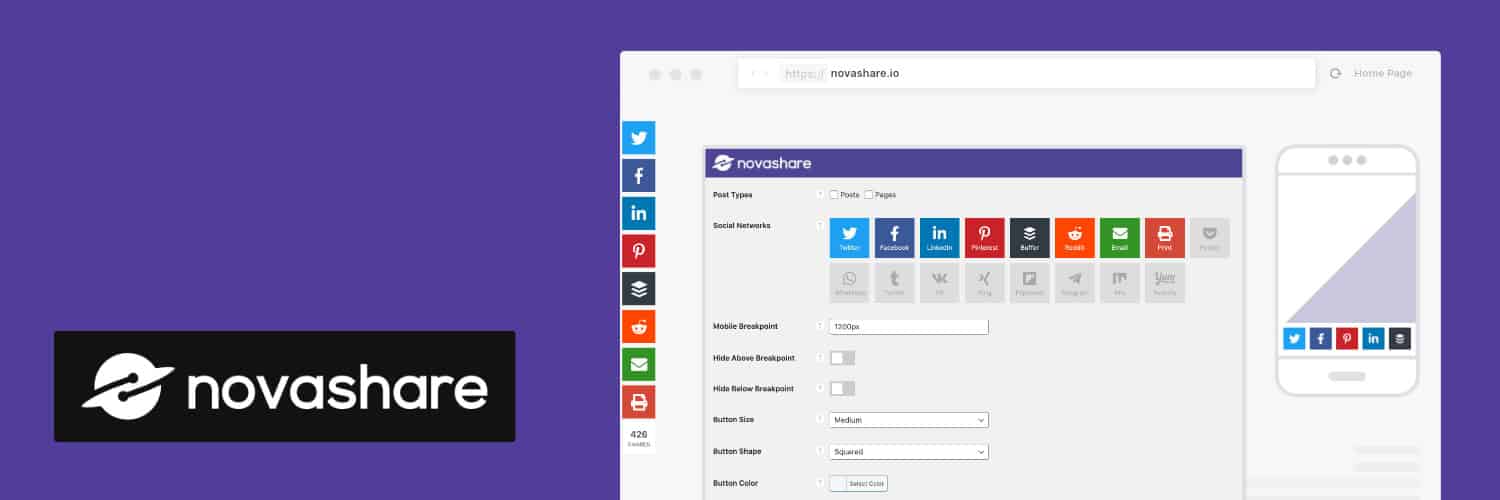
We’ve been using it ever since, and it’s one of those tools that simply does its job without getting in the way.
It’s lightweight, easy to customize, and works well alongside the other performance tools we already use.
One feature we especially like is the built-in Pinterest image hover button, which makes it easy for readers to save our content with a single click.
Our Recommendation
If you’re looking for a social sharing plugin, we’d recommend choosing one that’s lightweight, easy to customize, and designed with performance in mind.
After trying another option first, Novashare is the one we’ve been happiest with.
One thing we especially like is that it works well alongside our other speed optimization tools without slowing down the site.
must-have
Novashare
Make it easy for readers to share your content with a lightweight plugin built for speed and simplicity.
7. Legal Setup (Protecting Your Blog)
Linda and I never even thought about legal pages when we first started blogging.
In fact, we only realized we needed them after hearing another blogger mention website legal requirements.
The moment I heard the word “legal,” I knew it was something we couldn’t ignore.
That’s why we decided to invest in lawyer-created templates before launching our website.
Looking back, it was one of the smartest decisions we made.
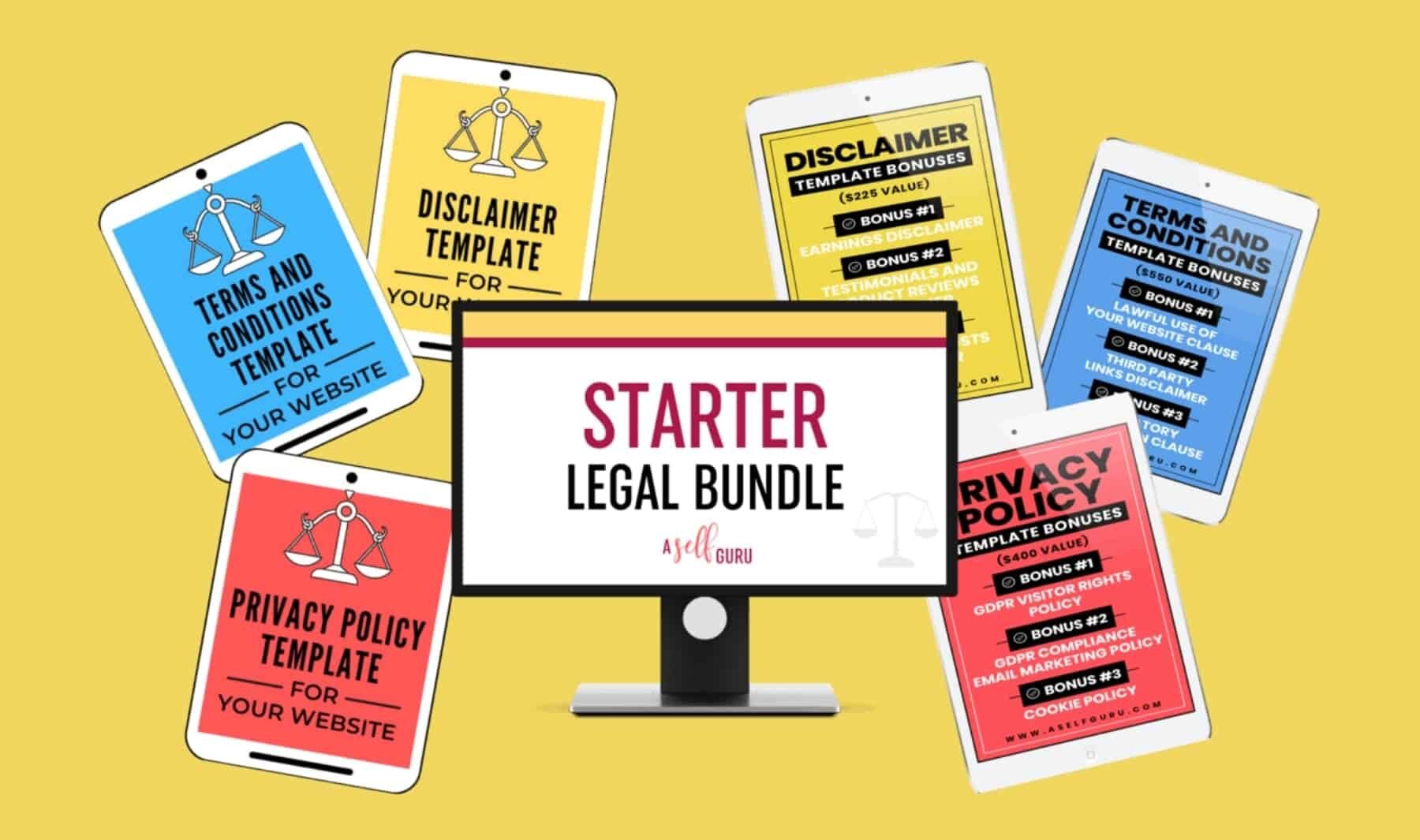
We’ve been using Amira’s legal templates since 2022, and one of the things we appreciate most is that they’re updated as privacy laws change.
Since we purchased the Starter Bundle, we’ve received those updates automatically, which has saved us from having to keep up with changing regulations on our own.
RELATED POST: Legal Templates by Amira Review: Are They Worth It for Bloggers?
Our Recommendation
If you’re building a blog or online business, we’d recommend starting with the Starter Legal Bundle.
It includes the three legal pages we think every blogger should have:
- Privacy Policy
- Disclaimer
- Terms & Conditions
It’s the bundle Linda and I started with ourselves, and we’d make the same decision again today.
must-have
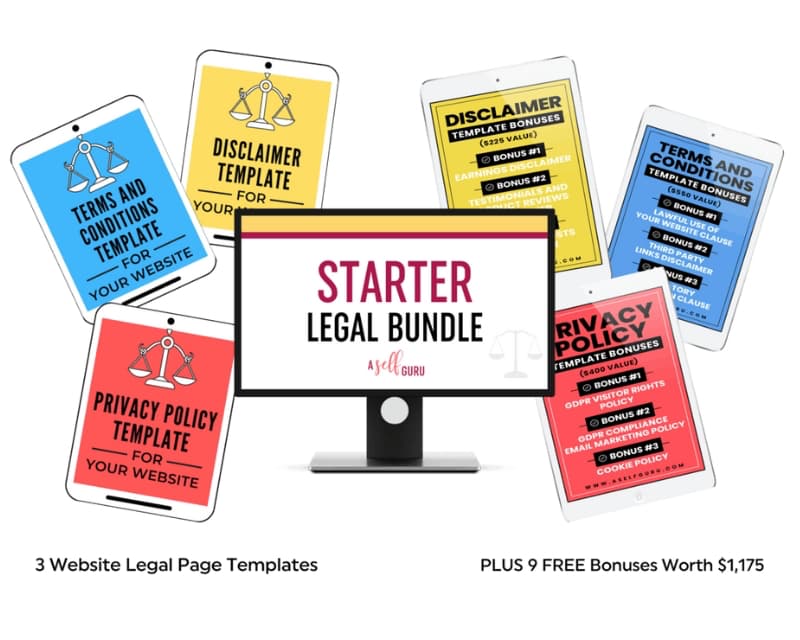
Starter Legal Bundle
Protect your website with three essential legal templates for bloggers and online business owners.
8. Traffic Strategy (Helping People Discover Your Blog)
Creating great content is only half the challenge. People also need a way to find it.
Linda and I chose to focus on Pinterest because, unlike many social media platforms, it has the potential to keep sending traffic to your blog long after a pin is published.
I’ll be honest, though—Pinterest has been one of the biggest learning curves in our blogging journey.
It’s a platform that’s constantly evolving, so no single course can promise long-term success. As Pinterest changes, strategies change too.
That said, we still think learning from experienced creators is one of the fastest ways to build a solid foundation.
We started with Sophia Lee’s Perfecting Pinterest course because it explained the basics in a clear, step-by-step way that was easy to follow.
It helped us:
- Understand how Pinterest works
- How to create pins
- How to perform keyword research
- And how to organize our account with more purpose
Since then, we’ve continued learning from other Pinterest educators as well, because we’ve found that every course offers a slightly different perspective.
Our Recommendation
If you’re brand new to Pinterest, we think a beginner-friendly course like Perfecting Pinterest can be a great place to start.
pinterest growth
Perfecting Pinterest
The course that helped us make sense of Pinterest when we were just getting started.
9. Monetization (Turning Trust Into Income)
When Linda and I first started blogging, we focused almost entirely on creating content.
Monetization came much later.
Looking back, I think we waited too long to learn about affiliate marketing. Not because we expected to make money overnight, but because understanding how monetization works is a skill in itself.
Affiliate marketing isn’t just about adding links to blog posts. It’s about helping readers find products that genuinely solve their problems while building trust over time.
That’s why we decided to invest in affiliate marketing education.
We chose Michelle Schroeder-Gardner’s Making Sense of Affiliate Marketing course because it’s beginner-friendly and explains the fundamentals in a clear, practical way.
The course covers everything from finding affiliate programs and writing helpful content to understanding what encourages readers to click and make a purchase.
Our Recommendation
If affiliate marketing is something you want to build into your blog, I think learning the fundamentals early is well worth the investment.
The Making Sense of Affiliate Marketing course gave us a much better understanding of how affiliate marketing works and helped us approach monetization more intentionally.
must-have
Making Sense of Affiliate Marketing
A beginner-friendly course that teaches the foundations of affiliate marketing in a clear, practical way.
How It All Works Together
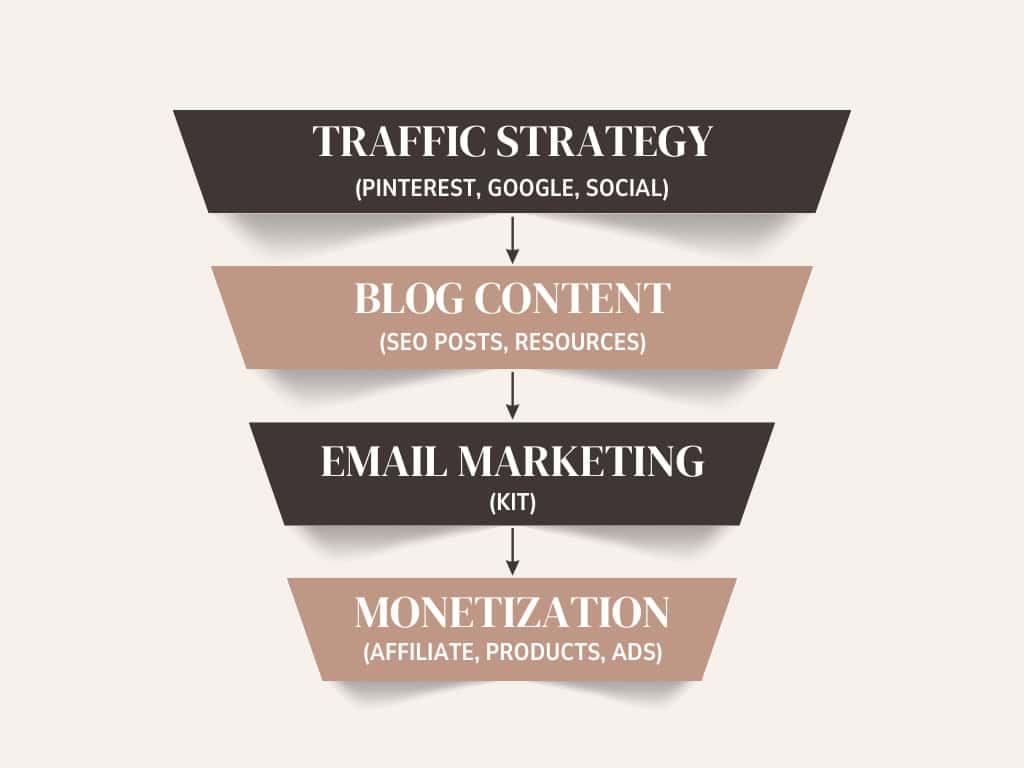
None of these tools work in isolation.
Each one plays a different role in helping us build and grow our blog.
- Hosting, theme, branding, and speed tools help us create a website that’s fast, visually consistent, and easy to use.
- Legal templates help us protect our business and our readers as our blog grows.
- Kit helps us build an audience we own through email instead of relying entirely on social media or search engines.
- Pinterest and affiliate marketing courses have helped us develop new skills and better understand how to grow and monetize a blog over time.
Together, they create a blogging setup that lets us spend less time troubleshooting and more time creating content.
We certainly didn’t buy everything at once.
In fact, our setup evolved gradually over several years as we learned what worked best for us.
What We Actually Spent In Our First Year
People often ask how much it really costs to start a blog.
The honest answer?
It depends.
Linda and I didn’t buy everything on day one. We started with the essentials and gradually invested in better tools as our blog grew and our needs changed.
Looking back, some purchases were absolutely worth it. Others taught us valuable lessons about what we’d do differently today.
Here’s what we actually spent during our first year of blogging:
Phase 1: Initial Setup (Launch Phase)
2022 — Launch Year (October–December)
|
Tool |
Cost |
|---|---|
|
Domain + privacy protection |
$31 (October) |
|
Budget hosting |
$35 (October) |
|
17th Avenue Designs theme |
$99 (October) |
|
Income School (Project 24) |
$449 (October) |
|
Starter + Accessibility Bundle (A Self Guru) |
$231 (October) |
|
Canva Pro |
$119.99 (November) |
Phase 2: Growth & Upgrades
2023 — First Year of Growth (January–September)
|
Tool |
Cost |
|---|---|
|
ShortPixel (50K credits) |
$60 (May) |
|
WP Rocket |
$21 (July) |
|
Perfecting Pinterest course |
$169 (August) |
|
BigScoots hosting |
$377.46 (September) |
|
Domain renewal |
$15.95 (September) |
Estimated first-year investment: ~$1,608
Final Thoughts
When Linda and I started blogging in 2022, we definitely didn’t get everything right.
We chose some tools that we later replaced. We underestimated things like legal pages, email marketing, and keyword research. And more than once, we learned lessons the hard way.
Looking back, though, every step taught us something that helped shape the blogging setup we use today.
If we were starting over, we wouldn’t buy everything at once.
Instead, we’d focus on building a solid foundation with reliable tools, learn one skill at a time, and upgrade as our blog grew.
That’s exactly what this page is: the blogging setup we use today after several years of learning, testing, making mistakes, and finding what works for us.
I hope sharing our experiences helps you avoid a few of those mistakes and gives you a clearer starting point for building your own blog.
Start with what fits your budget, keep learning as you go, and remember that every successful blog begins with a single published post.
*We only recommend tools and resources we personally use and love. These are essentials we genuinely believe can support you, just as they’ve supported us.

Malin, the co-founder of Courier Wellness, is well-informed in nutrition and health and brings her own unique perspective to the world of holistic wellness. With a passion for writing and a deep interest in wellbeing, she wants to create content that fosters balance and nourishment for the mind and body.